
ACS Web APDU 工具
制造商参考: ACS 产品名称、文档与工具标识其原制造商。 查看 ACS 官方来源.
ACS Web APDU Tool 用于通过浏览器发送和验证智能卡 APDU 命令,属于制造商工具。
开始前
从ACS 官方页面获取 ACS APDU Bridge 扩展和匹配操作系统的 Host,按官方步骤安装后打开工具。官方说明与下载为英语;Chrome、Edge、操作系统版本和读卡器支持条件应以当前制造商要求为准。
制造商参考资料(英文)
ACS Web APDU Tool
ACS Web APDU Tool for Smart Card Readers
The ACS Web APDU Tool is a secure, browser-based utility that enables you to send and validate APDU commands directly with ACS smart card readers.
With built-in safeguards from the browser extension, this tool ensures a safe, controlled, and reliable environment for testing and integration—without the hassle of complex setups.
ACS describes a development kit for integrating web-based smart card and NFC solutions into identity authentication and payment applications. Contact ACS to ask about the manufacturer's development kit and its availability.
Steps to Get Started
Step 1 Before using the tool, please install the ACS APDU Bridge Chrome extension in your browser. Microsoft Edge is also supported, since it can use Chrome extensions.
Step 2 Choose your platform and download the appropriate version of the ACS APDU Bridge Host.
Step 3 Click here to access the tool
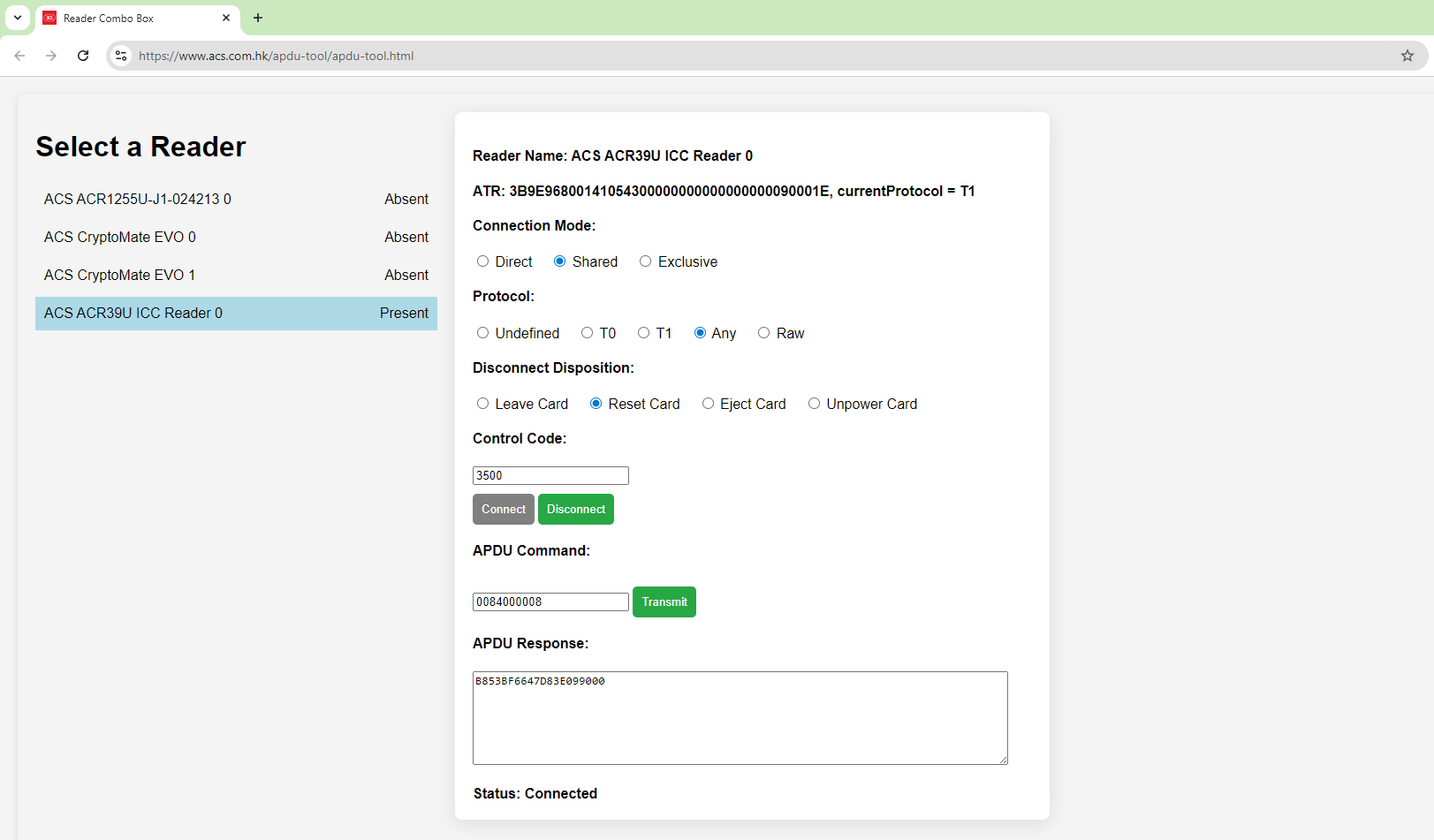
Get a Quick Walkthrough of the ACS Web APDU Tool in this Demo Video
System Requirements
To use the ACS Web APDU Tool, please ensure the following:
Operating System
- Windows: Windows 10 or later
- macOS: 10.13+ (Intel), 11+ (Apple Silicon)
- Linux: 64-bit, GLIBC >= 2.17 (Intel/AMD/ARM)
- Supported distributions include: Ubuntu 14.04+, Debian 8+, Fedora 30+, CentOS/RHEL 7+
Web Browser
- Google Chrome (latest version recommended)
- Microsoft Edge (latest version recommended)
Models Support
All ACS USB smart card readers
Recommended models
视频