
Contact Smart Card Reader Selection Guide
Match an ISO 7816 card with the reader interface, host platform and middleware your application actually uses.
Application guides
Contact smart card applications may use the same physical card format while requiring different card commands, middleware and credentials. Begin with the actual card and application, then check the reader's card interface and host support. For a desktop deployment, connector choice, installation and card insertion workflow also belong in the evaluation.
Discuss this applicationCompare candidate models
Use these models as a starting point. Confirm the exact variant, software support and evaluation results for your project before ordering.
| Model | Selection focus | Confirm for your project |
|---|---|---|
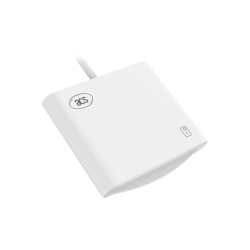 ACR40U (Standard) Specifications & downloads ACR40U (Standard) Specifications & downloads | ACR40U (Standard) lists ISO 7816 Class A, B and C card support and USB Type-A or Type-C options. | Name the Standard model and required connector. Check the card protocol, host software and model-specific driver documentation. |
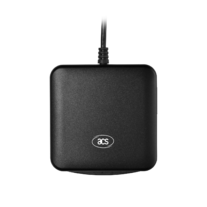 ACR39U Specifications & downloads ACR39U Specifications & downloads | The ACR39U entry lists ISO 7816 Class A, B and C card support and a USB Type-A connector. | Confirm the specific ACR39U variant and host requirements; use its full specifications rather than assuming every family variant is the same. |
Plan the evaluation
Identify the card application
Record the actual card, required commands and middleware. A reader connection is one part of the complete application.
Verify host installation
Use the intended operating-system version and the model's driver and reference materials. Check the required permissions and application integration.
Test the user workflow
Evaluate insertion, removal, error recovery and the required card operations before deciding on a rollout.
What to include in your enquiry
- Exact card model, protocol and application
- Host operating system and required middleware
- Reader variant, USB connector and installation constraints
- Evaluation quantity, expected order quantity and destination
The enquiry page will include this guide as its source. Add your requirements before reviewing and sending the WhatsApp draft.
Price, evaluation-unit availability, quantities, software scope and delivery need confirmation for each request.
Before you order
Does PC/SC support guarantee my application will work?
PC/SC provides an interface for the reader. The card's commands, credentials and application middleware still need to match the intended workflow and be tested on the host.
Can these readers read contactless NFC cards?
These candidate entries are contact readers. A project that also needs contactless operation should compare the appropriate contactless or dual-interface models and verify both interfaces.
Is the USB connector enough to select a model?
Also check the card support, operating system, driver and application requirements. State the exact connector and variant in the enquiry to avoid an unsuitable configuration.
Manufacturer references
Technical details refer to the original ACS model documentation. Use the linked product pages for the full specifications and downloads.
Application guides
Explore another application
USB NFC readers
Choose a desktop reader by card technology, required operation and host software, rather than by USB connector alone.
Read selection guideOEM NFC modules
Choose an embedded reader around the host connection, board space and antenna position, then evaluate it inside the intended enclosure.
Read selection guideePassport & ID readers
Separate optical capture, chip communication and QR scanning requirements before choosing a document reader configuration.
Read selection guide